
Can't Visit in Person? How to Take a Virtual Apartment Tour of The Osceola
Can't visit in person? Here is how to tour The Osceola from home, what to look for in each layout, which questions to ask, and how to compare floor plans.
How Can You Tour The Osceola From Home?
You can tour The Osceola from home using its photo gallery and floor plans, then fill in any gaps by phone or text with the leasing team. Layouts include studios, 1-bedrooms, 2-bedrooms, and 4-bedroom suites, and every floor plan has private bedrooms and bathrooms. A short checklist and a few prepared questions help you compare them. Below, you'll learn what to check and what to ask.
Key takeaways
- Photo galleries, floor plans, and phone or text chats let you see a home without traveling.
- Write down your must-haves, budget, furniture sizes, and questions before any tour.
- In a studio, check where the bed, desk, and seating fit in one room.
- In 2- and 4-bedroom layouts, focus on bedroom placement, privacy, and how much shared kitchen and living space there is.
- Virtual tours can miss noise, smells, and water pressure, so ask direct questions.
- Confirm listings on the official website, and never pay under pressure or before you've seen the lease.
Virtual Apartment Tour Options You Can Use
When you tour apartments virtually, you rely on a mix of tools, each showing a different part of a home. Use several together.
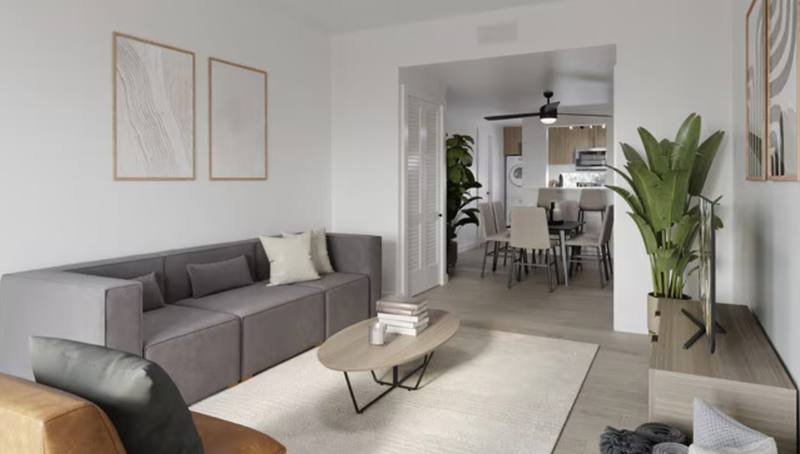
Photo galleries: Photos show finishes, furniture, and shared spaces. The Osceola's photo gallery of homes shows rooms inside the apartments as well as common areas.
Floor plans: A plan shows how rooms connect, which photos often hide.
Phone or text: The Osceola's leasing team can be reached by phone or text. A short message can fill gaps the photos leave.
Video, 3D, and live tours: Ask the leasing team whether a recorded walk-through, 3D tour, or live video call is available for the layout you want. A live call lets you ask for specific views as you go.
Live video calls: Some leasing teams will walk through a unit with you on camera. Ask the leasing team whether a video call is possible.
How to Prepare Before You Tour
A little prep makes any tour more useful. Do these things first:
List your must-haves. Split them into needs and nice-to-haves, such as a desk spot or a short walk to class.
Set a budget. Know what you can pay each month, and leave room for costs beyond rent.
Talk to roommates. If you plan to share, agree on the basics before anyone looks at layouts.
Measure your furniture. Note the size of anything you plan to bring, like a chair or shelf, so you can check it fits.
Write down questions. Keep one list so nothing slips your mind during a call.
What to Look for During a Studio Apartment Tour
A studio puts sleeping, working, and relaxing in one room. The Osceola's studio layouts page is a good place to start.
Check these points:
Zones: Picture where the bed, desk, and seating can go without blocking paths.
Kitchen space: Look at the counter room and where you will store food and dishes.
Storage: Find the closet and any shelves. Ask if the photos show the full space.
Natural light: Note window size and placement. Light changes how a small room feels.
Outlets: Count outlets near the bed and desk so chargers reach.
Feel of the space: Photos can make a room look larger. Compare the plan's measurements with a room you know.
What to Look for in Two-Bedroom and 4-Bedroom Suites
Shared layouts need a different lens. You are judging how a group will live together, not just one room.
Bedroom sizes: Check whether bedrooms are similar or if one is clearly bigger.
Bedroom placement: Bedrooms split apart give more quiet than bedrooms side by side.
Bathroom access: See which bathroom each bedroom uses and how far it is.
Shared kitchen and living areas: Ask if there is room for everyone to cook, eat, and sit at once.
Storage: Look for space for shared items, like cleaning supplies.
Privacy: Notice whether bedroom doors open straight onto the living room.
When you review 4 bedroom apartment floor plans, picture a busy morning with everyone getting ready.
How to Compare Floor Plans Side by Side
Comparing apartment floor plans in one community is easier when you use the same method for each. Open the floor plans and layouts, then:
Put plans side by side. Open two at once, or print them, so differences stand out.
Rank your priorities. Score each plan against your must-haves list.
Check traffic flow. Trace the path from the front door to each bedroom, the kitchen, and the bathroom.
Think about daily routines. Where will you study, eat, and unwind? Does the plan support that?
Compare cost per person. For shared homes, look at what each person pays, not just the total. Rates and availability change, so confirm current figures with the leasing team.
Touring With Roommates
Choosing a home with others goes smoother when everyone sees the same thing at the same time.
Join one group video call. Look at photos and plans together so no one is left out.
Use a shared checklist. A shared note keeps everyone's thoughts together.
Agree on priorities. Decide early which features matter most to the group.
Talk about budget and rooms. Be open about what each person can pay and how you will choose bedrooms.
Handle disagreements politely. If two people want the same room, try a fair method, like taking turns or drawing names.
Questions to Ask the Leasing Team
Good questions turn a photo tour into a real decision. Ask about:
Lease length and start and end dates
Your move-in date and how move-in works
Which utilities are included and which you pay
All fees, both one-time and monthly
Parking options and costs
Guest rules and pet rules
How to submit maintenance requests and how fast they are handled
Roommate rules and whether a guarantor is required
Some answers may already be online. Read The Osceola's frequently asked questions page first, then save your call for what it doesn't cover.
What a Virtual Apartment Tour Can Miss
Screens cannot show everything. A virtual tour may miss:
Noise from neighbors, hallways, or the street
Smells, like smoke or damp
Water pressure and how long hot water takes
Cell signal inside the unit
True room size, since camera angles can stretch a space
You can close most of these gaps. If a live call is offered, ask the person to run the shower, check signal bars, and stand in a corner to show scale.
Ask direct questions about noise and maintenance. Read recent reviews from several sources.
Then look at the area on maps, and browse the Osceola neighborhood guide to see what is nearby. For apartments near FSU, a map also shows walking routes to class.
How to Spot Red Flags and Avoid Rental Scams
Touring from a distance makes you an easier target for rental scams. Watch for these warning signs:
The listing doesn't match the official site. Check photos, prices, and contact details against the community's own website.
Someone asks for money before you see the lease or unit. A real leasing office can explain each charge first.
Pressure to pay fast. "Pay today or lose it" is a reason to slow down.
Unclear fees. Every charge should be named and explained.
Unusual payment methods. Be wary of gift cards, wire transfers, or payment apps sent to a person rather than the business.
When in doubt, call the number on the official website, not one from an ad.
Read the Lease Before You Sign
The lease is the final word, whatever a tour showed you.
Read every page, including any add-ons.
Check move-in and move-out dates, rent amounts, and fees.
Ask for answers to your questions in writing.
Keep copies of the lease and all messages.
If something is unclear, ask a trusted person or an official local resource before signing.
Conclusion
A virtual tour works best when you go in with a plan. Use photos, floor plans, and direct questions to build a clear picture of each layout. Fill the gaps a screen can't show, compare plans against your priorities, and stay alert for scams. Read the full lease and keep everything in writing. Then you can make a confident choice from home.
Ready to look around? Browse Osceola's floor plans and photo gallery, or contact the leasing team by phone or text to set up your tour.